 NightIn
How to watch Apple TV+ together
- Add NightIn to Chrome (or Edge). Your partner adds it too.
- Open the show on tv.apple.com and start the episode.
- Click the NightIn icon and press Start a party. Copy the invite link and send it.
- Your partner opens the link and lands on the same episode. If Apple asks them to click play first, a Click to continue watching button appears, and they catch up to you.
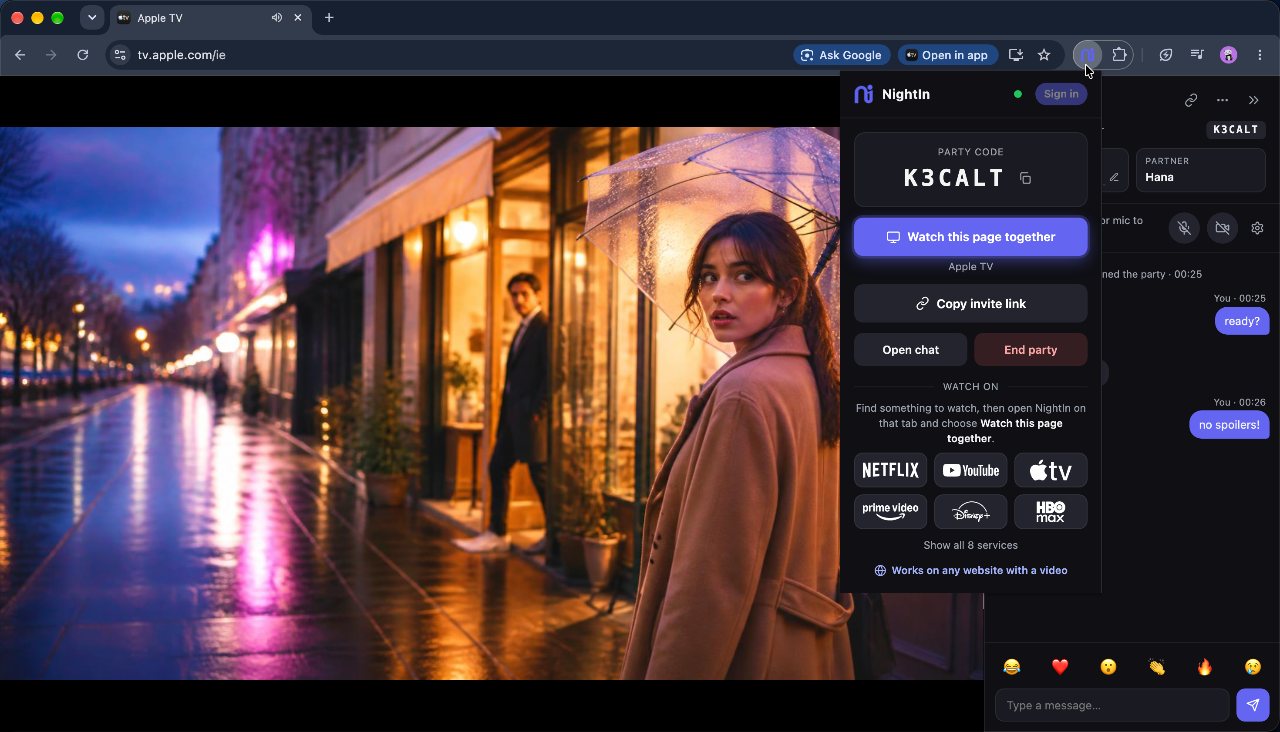
Each of you needs your own Apple TV+ subscription and to be signed in on tv.apple.com. Apple TV+ support is in beta: if something doesn't stay in sync, tell us at nightin-support@stormra.com.
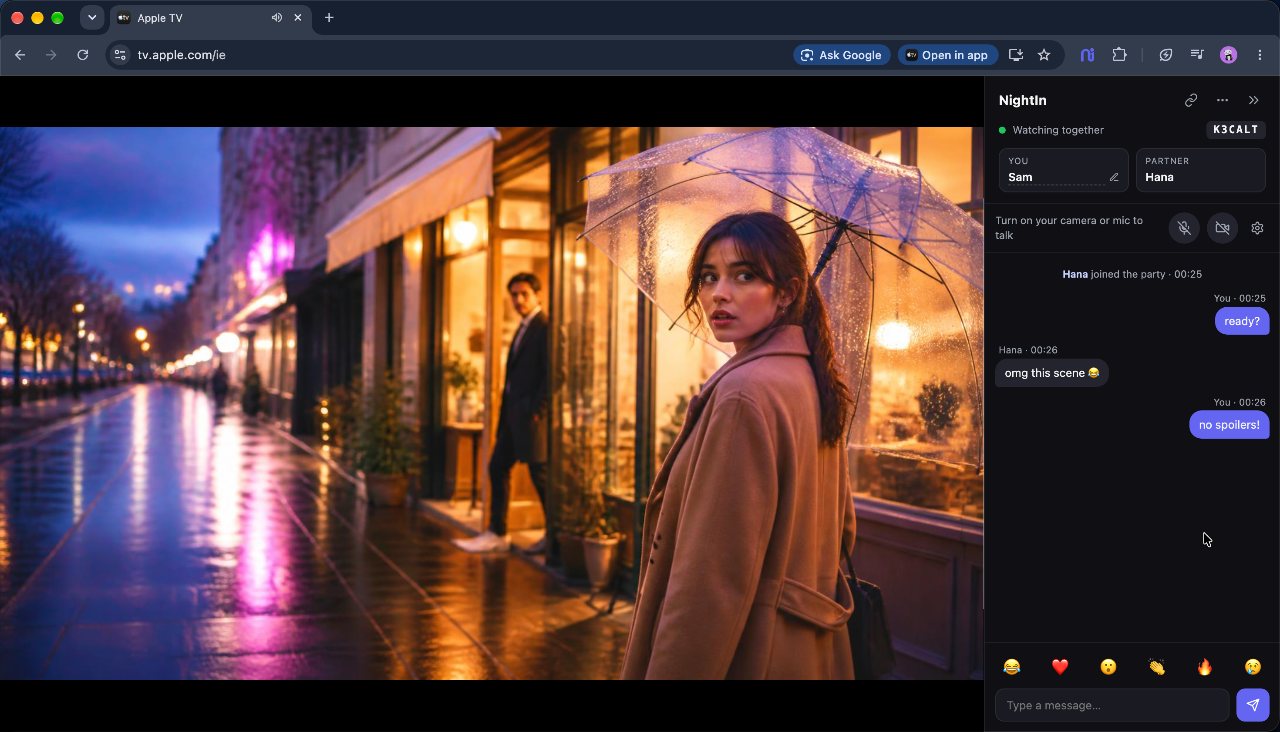
What you get
- Recaps lined up. If one of you sees the "previously on" recap and the other doesn't, you still land on the same scene.
- Next episode, together, even when Apple starts it partway in.
- Ad breaks handled where Apple shows them: the other person waits.
- A free camera & mic call and chat, including inside Apple's full-window player.
Questions
Is it free to host an Apple TV+ party?
Yes. Hosting and joining are free on every service NightIn supports, Apple TV+ included, and so is the video call.
Do we both need Apple TV+?
Yes. Each of you streams from your own account; NightIn only keeps the two players in sync.
Does it work in the Apple TV app?
No, only on tv.apple.com in Chrome or Edge on a computer.
Do we both need NightIn?
Yes, both of you need NightIn in Chrome or Microsoft Edge on a computer. If your partner doesn't have it yet, the invite link shows them how to add it in a few seconds.
How many people can watch together?
Two for now: NightIn is made for watching with one special person, like a partner far away or a best friend. Bigger parties are on the way.